Aiper troubleshooting
Aiper Red Light: What It Means and How to Fix It
A red light on an Aiper can mean normal charging, a jammed pump or a battery warning. Here's how to tell which, based on Aiper's own support guides, and what to do about each.

Quick fix
A red light on the charger is normal: it means charging and turns green when full. A red light on the robot while it runs usually means a motor fault, most often a jammed impeller. A red light flashing while charging, especially with heat, means stop charging and contact Aiper.
Aiper uses red lights for several different things, and the meaning depends on where the light is (the charger or the robot) and when you see it (charging or cleaning). Work out which case you have, then follow the steps. Everything here comes from Aiper's own support guides (see sources).
Tip: Write down exactly what you see (charger or robot, solid or flashing, any beeps) before you start. Aiper support will ask.
Case 1: Red light on the charger while charging (normal)
On the Scuba S1 and SE, the charger's light shows red while charging and green when full. Nothing is wrong.
If it stays green when connected and never turns red, charging isn't starting:
- Plug the charger into a different outlet you know works.
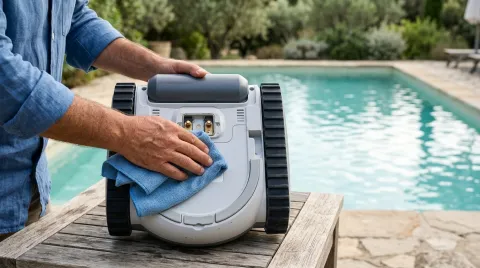
- Dry the robot and wipe the charging contacts with a dry cloth to remove corrosion or debris.
- Reconnect. The light should turn red, then green when full.
- If it still doesn't turn red, try another compatible charger or cable.
If it turns red but the robot dies quickly afterwards, the battery is no longer holding charge. Aiper says this is common after long storage with an empty battery. Contact Aiper about a warranty replacement.
Case 2: Red light on the robot while cleaning (likely a jam)
On the Scuba S3, Aiper says a red light while the robot runs indicates a motor fault, most often a stalled pump impeller.
- Switch the robot off and lift it out.
- Empty the filter basket and rinse the mesh under running water. Don't use soap or solvents.
- With the filter out, look into the impeller area following your manual. Remove hair, string, leaves or small stones with plastic tweezers, not metal tools.
- Refit the filter and run the robot again.
If the red light stays on after the impeller is clear, the pump motor may be damaged. Contact Aiper with your serial number.
Case 3: Red light flashing while charging, or the robot is hot (stop)
For the Scuba N1, Aiper says a red flashing light while charging means stop charging, and with a high temperature, contact support. Treat this as a safety warning on any model:
- Unplug the charger immediately.
- Move the robot away from anything flammable and let it cool in the shade.
- Don't charge it again. Contact Aiper support.
Aiper's guide says battery defects such as a red flashing light, high temperature or rapid capacity loss are covered under warranty for the N1.
Case 4: The robot won't turn on at all
- Charge it fully until the charger light is green.
- Hold the power button for 10 seconds to reset the controller.
- Press the power button normally and watch for the light and motor.
If it still won't start after a full charge and reset, Aiper says the battery or power circuit has likely failed; submit a warranty request with your serial number.
Error codes on the X1 and N1
The Scuba X1 and N1 also show codes in the Aiper app:
| Code | Meaning (Aiper) | What to do |
|---|---|---|
| E1 | Drive or motor issue | Check wheels and rollers for debris, rinse, restart |
| E2 | Filter or pump blockage | Remove and clean the filter basket |
| E3 | Sensor problem | Restart and let it finish starting up |
| E4 | Battery or charging error | See case 1 or 3 |
| E5 (X1) | Water inside the robot | Remove it from the pool at once, dry it, contact support |
Contacting Aiper
Aiper lists +1 866 850 0666 (8 AM to 8 PM Eastern, every day) and service@aiper.com. Include your serial number, which light you see on the charger and on the robot, and what you have tried.
If repairs aren't worth it, our Aiper brand page compares current models.
Still not working?
If the fixes above don’t help and your robot is out of warranty, a repair can cost more than a replacement. Compare current models before you pay for parts.
See the best robotic pool cleaners or find the right replacement for your pool.
Frequently asked questions
Is a red light on my Aiper charger bad?
How do I reset an Aiper Scuba?
What should I do if my Aiper gets hot while charging?
How do I contact Aiper support?
Sources
Specs, prices and claims in this article come from these sources.
- Scuba S1 Battery Not Charging: Diagnosis & Fix · Aiper · accessed Oct 16, 2026
- Scuba S1 Won't Turn On: Diagnosis & Fix · Aiper · accessed Oct 16, 2026
- Scuba S3 Reduced Cleaning Power: Diagnosis & Fix · Aiper · accessed Oct 16, 2026
- Scuba N1 Battery Issues, Error Codes & Factory Reset · Aiper · accessed Oct 16, 2026
- Scuba X1 Error Codes & Factory Reset Guide · Aiper · accessed Oct 16, 2026
- Scuba SE Initial Setup & Charging Indicator Guide · Aiper · accessed Oct 16, 2026
Written by
Research and editing
The PoolRobots editorial team researches robotic pool cleaners from manufacturer documents, published measurements and owner reports.