Wybot troubleshooting
WYBOT Not Charging? Fixes From WYBOT's Own Guides
WYBOT charging problems usually come from a wet port, dirty contacts, a robot left switched on, or a faulty adapter. Work through these steps before contacting support.

Quick fix
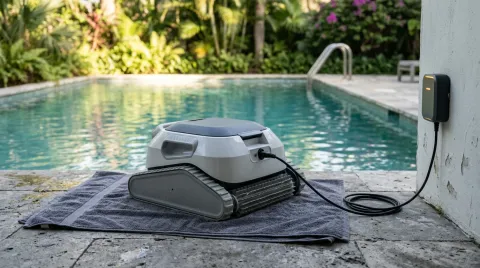
Switch the robot off, dry the charging port and clean the contacts, then charge with the original WYBOT charger. After a full charge, hold the power button for 10 to 15 seconds to reset it. If it still won't charge, contact WYBOT.
WYBOT robots have charging ports that must be dry and clean, and some models protect the battery by shutting down when something's wrong. These steps come from WYBOT's own FAQ and support articles.
Tip: Never charge a wet robot. Let it drain and dry in the shade first.
1. Switch it off and dry the port
WYBOT's FAQ says to turn the robot off before charging and make sure there's no water in the charging port; moisture can stop charging and corrode the port. Remove the port cap, let it dry fully, then reconnect.
2. Clean the contacts
Wipe the charging contacts with a dry cloth. For stubborn corrosion, WYBOT's repair article suggests a soft brush with a little isopropyl alcohol, then let it dry.
3. Check the charger
- Use the original WYBOT charger: WYBOT says third-party chargers may not deliver stable power.
- Look for damaged cables, burn marks, or a charger light that doesn't come on; any of these points to the adapter.
- Try a different outlet.
4. Charge fully, then reset
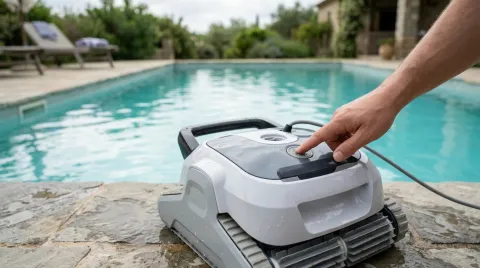
Unplugging before the battery is properly charged can cause start-up problems. Charge fully, then hold the power button for about 10 to 15 seconds; on many WYBOT models the lights blink or cycle during the reset.
5. Battery protection
WYBOT says some models disable themselves when battery voltage is unstable or the robot gets too warm. Let it cool in the shade and try again.
When to contact WYBOT
WYBOT advises contacting support if the robot doesn't charge at all, runtime becomes very short, or error lights keep flashing. Have your model and serial number ready. WYBOT sells many spare parts, including chargers, on its store.
Comparing replacements? See our WYBOT brand page.
Still not working?
If the fixes above don’t help and your robot is out of warranty, a repair can cost more than a replacement. Compare current models before you pay for parts.
See the best robotic pool cleaners or find the right replacement for your pool.
Frequently asked questions
Should my WYBOT be switched on while charging?
How do I reset a WYBOT?
Can I use another charger?
Sources
Specs, prices and claims in this article come from these sources.
- WYBOT S2 product page and FAQ · WYBOT · accessed Oct 16, 2026
- Pool robot vacuum repair for battery and charging issues · WYBOT · accessed Oct 16, 2026
- How to reset WYBOT pool cleaner after charging or connectivity problems · WYBOT · accessed Oct 16, 2026
- Cordless pool cleaner common issues and fixes · WYBOT · accessed Oct 16, 2026
Written by
Research and editing
The PoolRobots editorial team researches robotic pool cleaners from manufacturer documents, published measurements and owner reports.